EdTech · Math Education
How Acceleo Matemática ships three AI surfaces on one Apps API
How Acceleo Matemática shipped a marketing assistant, live classroom with in-session AI, and Curiosity starters - all on SundayPyjamas AI Suite.
Acceleo Matemática is a Canadian Grade 6 live-math platform. They needed production AI across the public site, the live classroom, and a discovery hub for students - without standing up model infra, vector stores, or a custom LLM ops stack. SundayPyjamas AI Suite owns chat, threads, memory, and metering. Classroom video stays with Acceleo's video provider. Acceleo owns product UI, auth, lesson context, and quotas.
The real problem
Acceleo needed grounded, role-aware AI on three surfaces - public site, live classroom, and a student discovery hub - plus live video. Building models, memory, retrieval, streaming, and metering in-house would have delayed the first cohort by months.
What we built
We embedded SundayPyjamas Apps API across three surfaces: a streaming marketing assistant, a live-session teaching assistant with lesson and session context, and Curiosity - curated starters that open metered Suite threads with hidden Socratic briefs.
Acceleo kept ownership of auth, dashboards, classroom video, credit policy (50 messages/day and 1,000/month for students by default; plan packs from 30 to 150 AI credits), and curriculum packaging (90+ lessons, 20+ homework questions, five modules per lesson).
What shipped on AI Suite
- Marketing assistant with Support + Curiosity tabs and streaming chat
- Live classroom sidebar AI with role + lesson-stage awareness
- Curiosity hub: 10 cards, 5 categories, server-only hidden prompts
- Thread mapping, credit windows, and a dedicated discovery assistant
How AI Suite manages everything
One Apps API contract for marketing, classroom, and Curiosity - with a hard split between the AI plane and the A/V plane.
Acceleo never hosts models. Their backend calls SundayPyjamas AI Suite. Threads and message history live in Suite memory; Acceleo stores only the mapping to those threads and each student's credit usage.
Live video is deliberately separate. Teachers and students join the same classroom room in Acceleo's video provider; the floating video panel sits beside the whiteboard and the AI sidebar. Suite never touches the media path.
Integration spine
- 01
Connect the workspace and choose which product surfaces use AI Suite.
- 02
Public site, live class, and discovery each send role and lesson context from Acceleo's backend.
- 03
Suite handles chat, streaming, thread persistence, and memory - Acceleo meters credit windows.
- 04
Live sessions run video and AI in parallel in the same classroom shell.
Apps API surfaces
Acceleo product surfaces call Suite for chat and memory. Classroom video stays on a separate provider.
API reference in the docsLesson-grounded chat
Classroom assistant
Lesson and role context to a grounded reply
Marketing stream
Public-site assistant
Support or Curiosity tab to a streamed answer
Thread memory
Persistent threads
Local conversation mapped to Suite continuity
Live video (not Suite)
Classroom video provider
Same live class; Suite never handles A/V
AI plane vs A/V plane
Suite manages inference, threads, and metering. Acceleo's video provider manages live audio and video. Buyers get a clean boundary: AI platform for product intelligence, specialist A/V for classrooms.
Website AI assistant
Streaming Support and Curiosity for parents evaluating the program - available on public marketing routes, quota-limited for anonymous visitors.
How it works
- 01
Visitor lands on an eligible marketing path and opens the assistant panel.
- 02
Choose Support (parent FAQs) or Curiosity (TA demos) with category chips.
- 03
Card or freeform message streams to Suite with the matching assistant.
- 04
Anonymous curiosity demos are capped so the preview stays affordable.
The marketing assistant runs on public program pages and stays off dashboard and live-class routes. Parents open a side panel: Support cards answer enrollment and pricing questions; Curiosity cards demo how the teaching assistant guides Grade 6 math.
Chat streams into Suite from Acceleo's backend. Anonymous curiosity demos are rate-limited so families can try the product without open-ended cost.
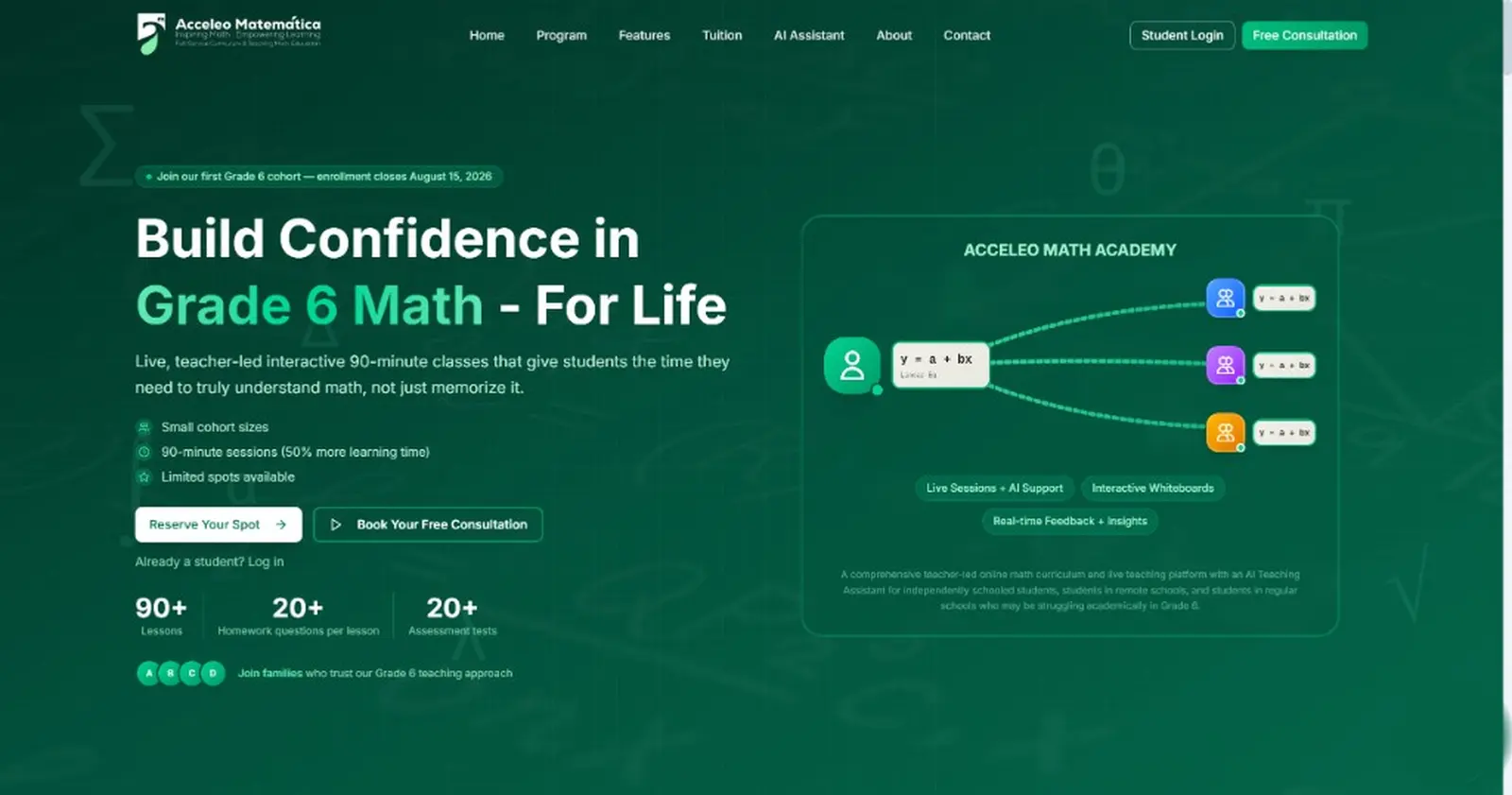
Questions families often ask while exploring the program. Tap one to chat, or type your own below.
Do you only serve grade 6?
Current grade scope
Live tutoring vs self-paced
What the week can look like
How do we get started?
Registration and onboarding
Who teaches the live sessions?
Teachers and structure
Live classroom + in-session AI
90-minute live sessions with whiteboard, five lesson modules, floating classroom video, and a Suite-backed teaching assistant in the sidebar.
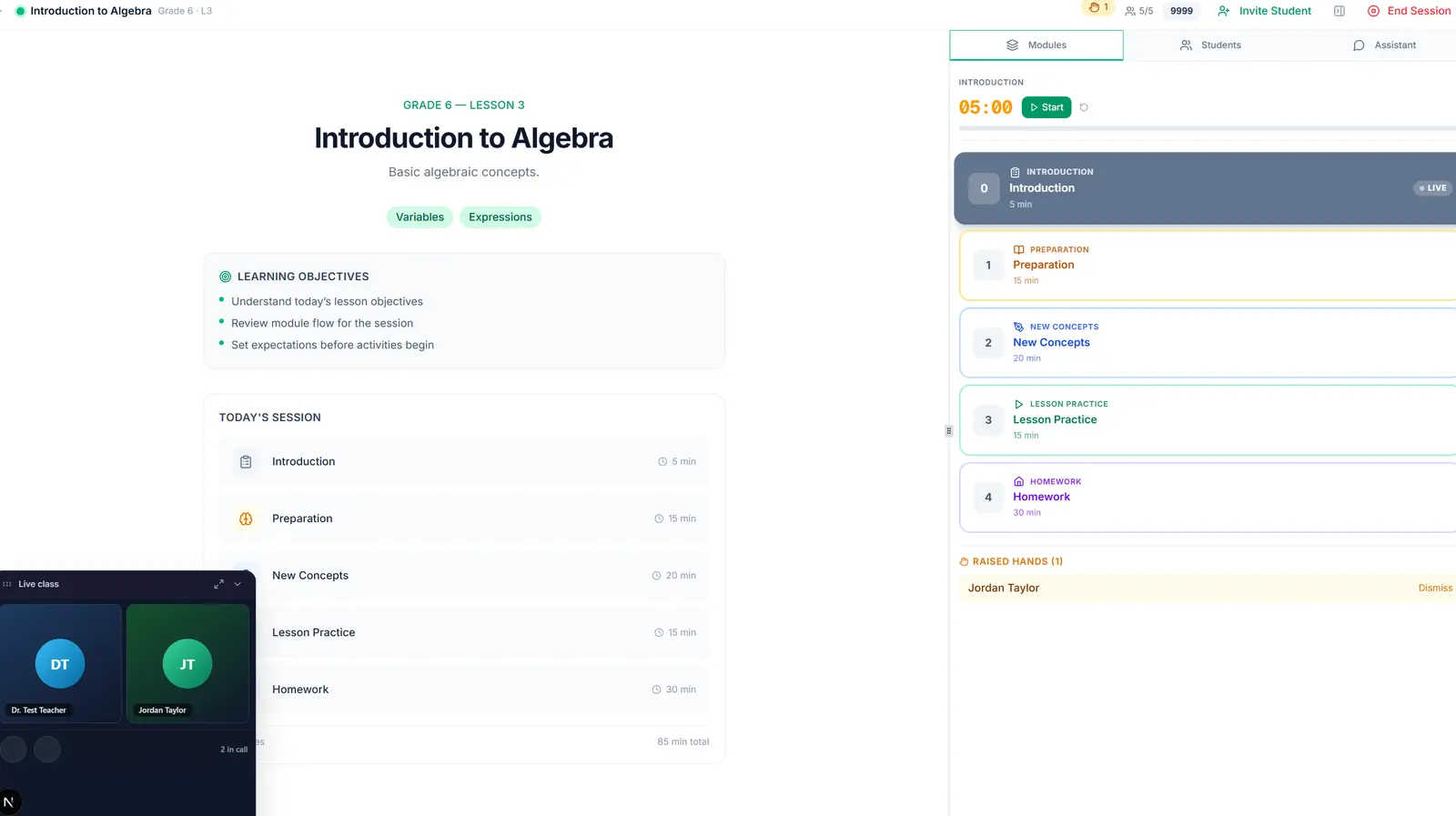
When a session is in progress or paused, teachers and students share the same live classroom. The shell loads classroom video, mounts a floating video panel (collapse to a pill, expand to fullscreen), and keeps the lesson modules and AI sidebar in the same view.
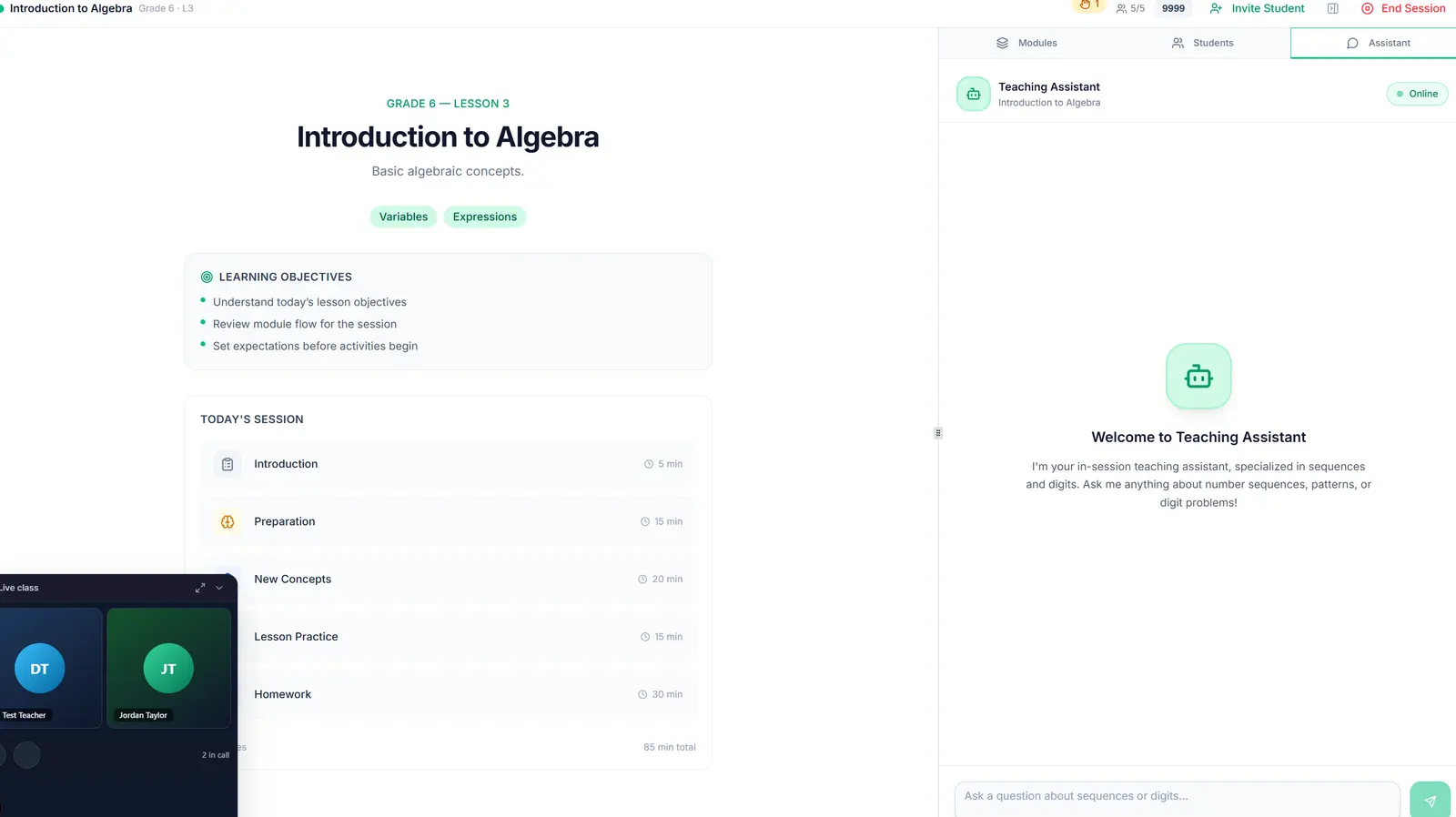
Sidebar AI calls Suite with the current lesson (title, topics, objectives, module) and live-class context (in session, elapsed time, participant count). Teacher and student modes differ in pedagogy - guide vs coach - without a second provider.
How it works
- 01
Teacher starts the session; students join the same live class.
- 02
Classroom video stays with Acceleo's video provider; Suite never handles A/V.
- 03
Whiteboard and five modules run locally; floating video stays connected while collapsed.
- 04
Sidebar messages go to Suite with lesson and session context.
Whiteboard, modules, and live video
One composition for the class: lesson modules on the right, whiteboard in the center, and a floating video panel with teacher and student tiles (initials when cameras are off) - A/V stays with the video provider while the shell stays Acceleo.
Lesson-grounded AI in the sidebar
The Assistant tab posts to Suite with lesson and session context. Teachers get guide-mode pedagogy; students get coach-mode - same Apps API, different role prompts.
Curiosity hub
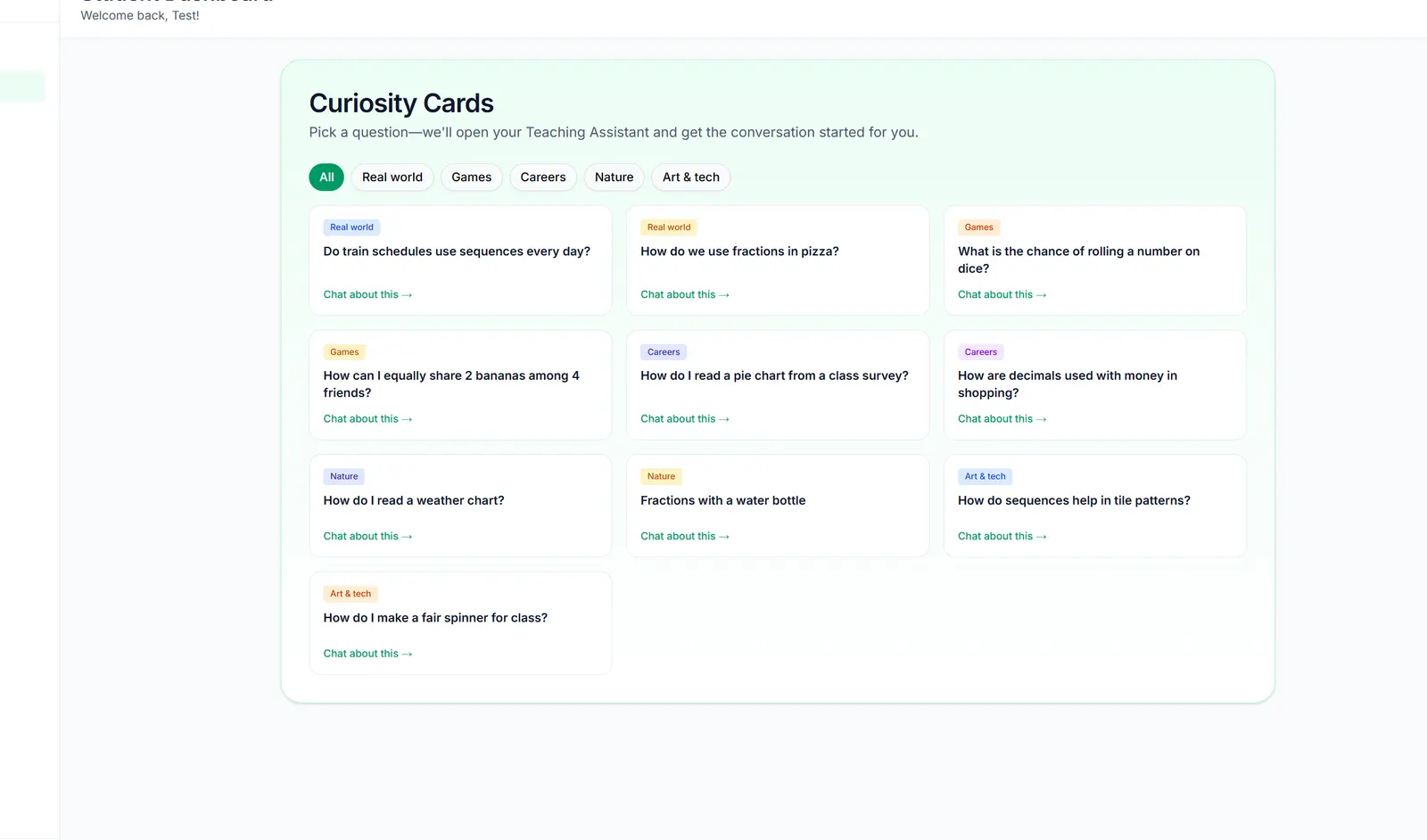
Ten Grade 6 starter cards across five categories. One tap opens a Suite thread and sends the first turn with server-only Socratic instructions.
Curiosity is the discovery layer on the student dashboard and a dedicated discovery page. Cards never ship hidden prompts to the browser - the server resolves the student-facing line and the teacher brief, then posts to Suite.
Curiosity and the assistant are in active daily use, with session recordings covering multi-hour student journeys across classes, curiosity cards, and assistant threads.
How it works
- 01
Student taps a card on the dashboard or discovery hub.
- 02
Acceleo's backend opens a Suite thread for that card.
- 03
The first turn is sent from the server with allowlisted instructions.
- 04
Suite returns the first Socratic reply in the same teaching-assistant UI.
Ten starters, five categories
Real world, games, careers, nature, and art & tech. Cards show only student-facing titles - hidden Socratic briefs stay on the server.
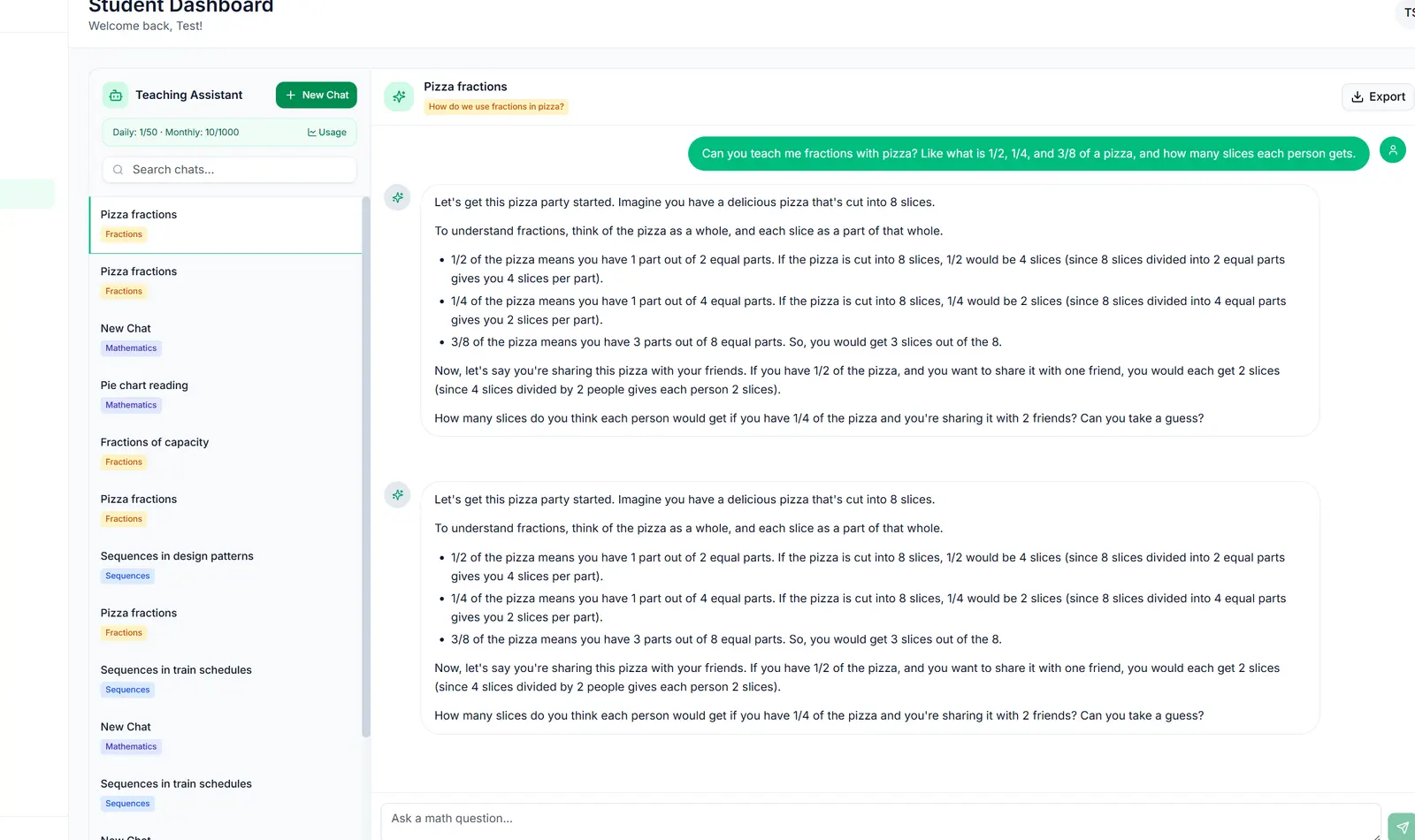
One tap to a grounded thread
A card tap creates a Suite thread, navigates into the teaching assistant, and auto-sends the first turn with allowlisted instructions - same UX as freeform chat, metered on Acceleo credits.
Outcomes
API key to live student sessions in under four days. Teachers and students run AI-assisted lessons across marketing demos, live class, and Curiosity without Acceleo operating models or vector stores.
In the 90 days ending 23 Jul 2026, Acceleo PostHog recorded 2,124 site pageviews, 346 live-session pageviews, 113 assistant pageviews, and 33 Curiosity pageviews - with session recordings showing multi-hour journeys through classes, curiosity cards, and assistant threads on app.acceleomatematica.com.
Credit policy and plan packs (30 / 80 / 150 monthly AI credits) give Gabriel predictable unit economics while Suite absorbs infra variance.
We needed an AI teaching assistant that understood our lessons and roles - without building an ML platform. SundayPyjamas gave us marketing, classroom, and Curiosity on one API while we kept Jitsi for live class.
What this enables for EdTech on AI Suite
The Acceleo pattern - public assistant, in-product live AI, curated discovery starters - maps to other learning products:
Tutoring platforms
Role-aware assistants beside live or recorded sessions with lesson context.
Curriculum apps
Curiosity-style starters that open grounded threads without exposing system prompts.
Enrollment sites
Streaming marketing assistants with hard daily quotas and FAQ card packs.
Embedding AI across marketing and product?
Production proofs on your data - live in days, not months.